


Top Free AI Tools for Content Creation in 2026
Ever spent an entire Sunday evening staring at a blank screen, trying to write a caption, a blog post, or even a simple email — and just felt stuck? You’re not alone. Between managing a business, a brand, or just trying to stay consistent online, coming up with fresh content every single day can feel exhausting, even for the most creative people.
That’s exactly where AI tools for content creation come in. In this guide, we’ll walk you through the best free tools available in 2026 that can help you write faster, design easier, and create content that actually connects with your audience — without draining your time
By the end of this article, you’ll know exactly which free AI tools to use for writing, editing, design, video, and research — and how to combine them into a workflow that doesn’t cost a subscription fee to get started.
Why Free AI Tools for Content Creation Matter in 2026
AI has moved from a novelty to a necessity in content creation, with the large majority of marketers now weaving AI tools into their daily workflows — a sharp rise from just a few years ago. That shift matters for anyone building a website or a personal brand, because it means the competition isn’t just producing content faster — it’s producing more of it, more consistently.
The good news is that you don’t need an enterprise budget to keep up. Open-source projects and generous freemium tiers have made state-of-the-art AI genuinely accessible, so you can build and experiment with your content workflow without spending a dime. The key is knowing which tools are worth your time.
Best Free AI Writing Tools for Blogs and Long-Form Content
Writing is usually where content creation starts, and it’s also where free AI tools have matured the most.
ChatGPT
ChatGPT remains one of the most widely used starting points for content ideation and drafting. The easiest way to get started with AI content creation is often to sign up for ChatGPT to brainstorm ideas. Its free tier is strong for outlining articles, generating headline options, and getting past writer’s block.
Best for: Quick brainstorming, outlines, and first drafts.
Claude
Claude has become a rising favorite among content teams for its ability to hold context over long documents and deliver a more measured, natural tone. If you’re writing anything that needs nuance — an explainer, an opinion piece, a longer guide — Claude tends to avoid the generic “AI voice” that plagues a lot of auto-generated content. It’s particularly well suited to long-form and sensitive content where marketers worry about hallucinations or staying on-brand.
Best for: Long-form articles, editing for tone, and content where accuracy matters.
Copy.ai
If your content needs are more bite-sized — think product descriptions, email subject lines, or ad copy — Copy.ai’s free tier is worth a look. Its free plan includes a set number of credits each month, and it’s particularly well suited to social media captions and short marketing copy.
Best for: Short-form marketing copy and social captions.
Free AI Tools for Research and Content Planning
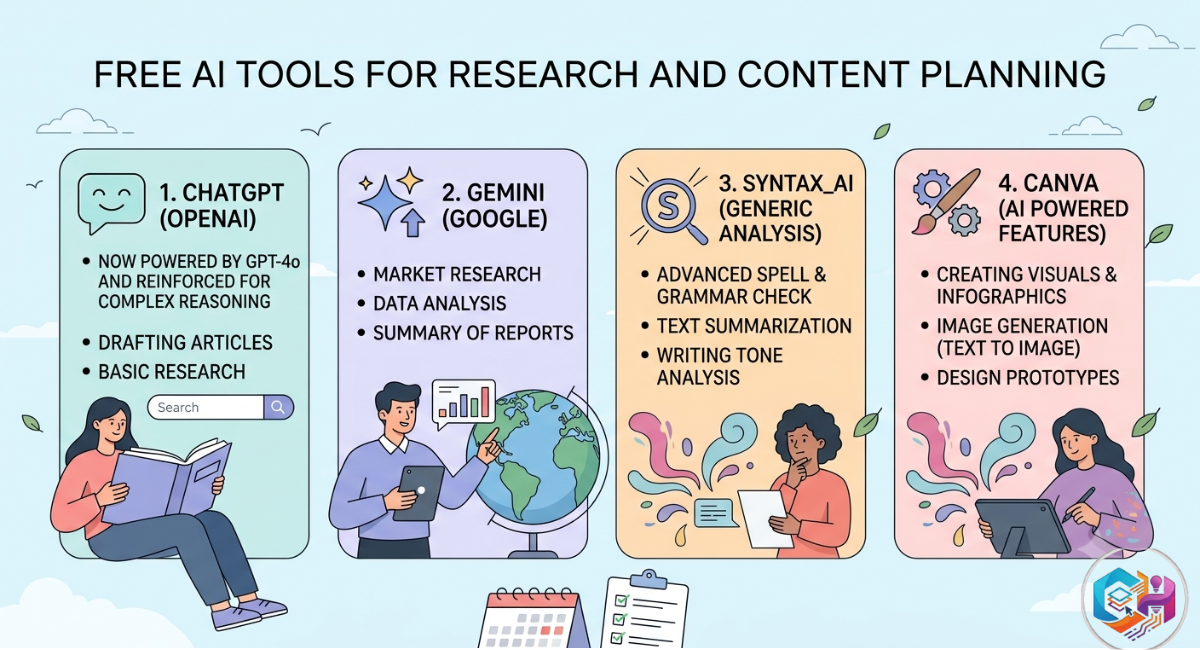
Good content starts with good research, and this is an area where free AI tools have quietly become extremely powerful.
Google NotebookLM
NotebookLM is one of the most powerful free research tools available, letting you upload your own sources — PDFs, audio, websites — and creating a grounded AI assistant that only draws from that material. The free tier is generous, allowing users to create up to 100 notebooks, each holding up to 50 sources and roughly 500,000 words. This is genuinely useful if you’re turning research papers, interview transcripts, or competitor content into blog posts.
A standout feature: it can turn dense documentation or research into a podcast-style audio conversation between two AI hosts, which is a great option for auditory learners or for repurposing written research into audio content.
Best for: Summarizing research, competitor analysis, and repurposing dense material.
Frase (Free Trial)
For content that needs to actually rank, Frase helps close the gap between writing and SEO. It analyzes top-ranking pages for a given keyword and builds detailed content briefs, helping writers structure articles so they’re positioned to rank well.
Best for: Building SEO-focused content briefs before you start writing.
Free AI Design Tools for Visual Content
Words alone rarely carry a blog post or social post anymore. Visuals matter, and you don’t need design training to produce them.
Canva AI
Canva’s free plan lets you generate graphics without any design background, and its AI-assisted features (like Magic Design and text-to-image generation) make it simple to create featured images, infographics, and social graphics that match your brand.
Best for: Blog featured images, social graphics, and quick design work.
Free AI Tools for Video and Audio Content
Video content is no longer optional for most websites and brands, and repurposing long content into short clips is one of the biggest time-savers AI offers.
Descript
Descript can be used for free, with paid plans starting at a low monthly cost as your usage grows. It’s built for turning podcasts, interviews, and webinars into blog posts and short video clips, which makes it a strong pick if you already record video or audio and want to stretch that content further.
Best for: Repurposing video/audio into blog posts, transcripts, and social clips.
Opus Clip
If you have long-form video sitting on YouTube, Opus Clip’s free tier can help you extract the most engaging moments automatically. It identifies the most engaging segments of long-form video, clips them, adds captions, and formats them for social platforms — cutting what used to take hours of manual editing down to minutes.
Best for: Turning long YouTube videos or webinars into short-form social clips.
How to Choose the Right Free AI Tool for Your Content Needs
Not every tool fits every workflow. Here’s a simple way to think about it:
- If you’re writing blog posts: Start with ChatGPT or Claude for drafting, and Frase for structure.
- If you’re doing social media: Copy.ai for captions, Canva for visuals.
- If you’re repurposing video or podcasts: Descript and Opus Clip.
- If you’re doing deep research: NotebookLM.
A common mistake is trying to adopt five tools at once. Choose your tools based on your content type and your workflow, start with one or two, and expand only once they’re actually built into your process — the stack that works is the one you’ll consistently use.
Common Pitfalls When Using Free AI Tools for Content Creation
Free AI tools are powerful, but they come with real limitations worth knowing upfront:
- Free tiers are often capped. Expect monthly credit limits, word caps, or watermarked exports rather than unlimited use.
- Originality still needs a human touch. AI tools rely on patterns and prompts, so output can feel repetitive or lack the emotional nuance that comes from genuine human writing.
- Fact-check everything. AI-generated claims, statistics, and quotes should always be verified before publishing, especially for YMYL (Your Money, Your Life) topics.
- Don’t skip editing. Even the best draft from a free AI tool needs a human editing pass for voice, accuracy, and SEO structure.
Frequently Asked Questions
Are free AI tools for content creation actually free, or is it a trial?
Some AI content creation tools are genuinely free to use with essential features at no cost, while others offer both free and paid plans, with paid tiers unlocking advanced capabilities or higher usage limits. Always check the tool’s pricing page, since terms shift often.
What is the best free AI tool for beginners writing their first blog post?
ChatGPT or Claude are the most approachable starting points — both let you brainstorm, outline, and draft without any technical setup. Pair either with Canva’s free plan for your featured image, and you have a complete, no-cost workflow to publish your first post.
Can free AI tools replace a human content writer entirely?
Not yet, and probably not soon. AI tools are excellent at speeding up research, drafting, and repurposing, but human judgment is what keeps content original, accurate, and genuinely useful to readers. Think of these tools as accelerators, not replacements.
Do free AI content tools help with SEO?
Yes, especially research and brief-building tools like Frase, which analyze top-ranking content to help you structure your own article for better visibility. Pairing an AI writing tool with an SEO brief tends to produce far stronger results than either alone.
Which free AI tool is best for turning videos into blog posts or social clips?
Descript is a strong choice for transcribing and repurposing video/audio into written and short-form content, while Opus Clip specializes specifically in cutting long videos into short, caption-ready clips for social media.
Final Thoughts and Next Steps
Free AI tools have genuinely changed what’s possible for solo creators, small teams, and website owners working with limited budgets. The tools above cover writing, research, design, and video — enough to build a complete content pipeline without spending anything to start.
The real advantage comes from combining them thoughtfully: research with NotebookLM, draft with Claude or ChatGPT, design with Canva, and repurpose with Descript or Opus Clip. Start small, get comfortable with one or two tools, and build outward from there.