

Creating a YouTube video involves much more than recording. You need an idea, research, a script, editing, captions, a thumbnail, and optimization before you can finally hit Publish.
AI tools can speed up many of these tasks, but you don’t need a dozen subscriptions to build a useful workflow. The best approach is to choose a few tools that solve your biggest production bottlenecks.
In this guide, we’ll look at the best AI tools for YouTube creators in 2026, what each tool is best for, and how you can use AI throughout the workflow—from idea and script to video, thumbnail, SEO, and upload.
Quick List: Best AI Tools for YouTube Creators
| Tool | Best For | Ideal User |
| ChatGPT | Ideas, research & scripts | Beginners & creators |
| Claude | Research & long-form writing | Long-form creators |
| Gemini | Research & brainstorming | Google users |
| CapCut | Video editing & captions | Beginners/Shorts creators |
| Descript | Text-based video editing | Talking-head creators |
| ElevenLabs | AI voiceovers | Faceless creators |
| Canva | Thumbnails & graphics | Beginners |
| Runway | AI-generated visuals | Creative creators |
| Pictory | Script-to-video | Faceless creators |
| vidIQ | YouTube research & optimization | Growing channels |
| TubeBuddy | YouTube optimization | Channel owners |
Important: Tool features, free plans, and pricing can change, so check the provider’s current plan before purchasing.
Best AI Tools for YouTube Ideas and Research
Before creating a script, you need a strong topic.
AI can help you brainstorm angles, organize research and turn rough ideas into an outline. For example, OpenAI describes ChatGPT as useful for brainstorming, organizing ideas and turning rough direction into an actionable plan.
ChatGPT
Best for: Video ideas, outlines, hooks and scripts
You can use ChatGPT to:
- Generate video ideas
- Brainstorm different angles
- Create video outlines
- Develop hooks
- Improve titles
- Turn notes into a structured draft
- Rewrite sections in your own tone
Example prompt
“Give me 10 YouTube video ideas about [topic] for beginners. For each idea, provide the search intent, a strong hook, the main promise, and why someone would click.”
Best for: Beginners who need help getting from a blank page to a usable plan.
Claude
Best for: Long-form research and writing
Claude can be useful when you have substantial notes or research and want to organize them into a logical structure.
Use it for:
- Outlines
- Research organization
- Long-form drafts
- Editing
- Comparing ideas
Again, treat AI output as a draft to review, not as unquestioned final information.
Gemini
Best for: Brainstorming and research workflows
Gemini can be another option for creators who already use Google’s ecosystem.
Instead of choosing an AI tool simply because it is popular, compare it with the tools you already use and choose the one that fits your workflow.
Best AI Tools for YouTube Script Writing
A good AI script isn’t simply:
“Write me a YouTube script.”
That often produces generic content.
Give the tool:
- Target audience
- Video topic
- Main points
- Desired length
- Tone
- Examples
- Your own experiences
Then use the result as a starting point.
Better workflow
Research → Outline → AI-assisted draft → Human editing → Final script
The human editing step is important because your opinions, stories, examples and personality are what make the video different.
Best AI Video Editing Tools
Editing is often one of the most time-consuming parts of YouTube production.
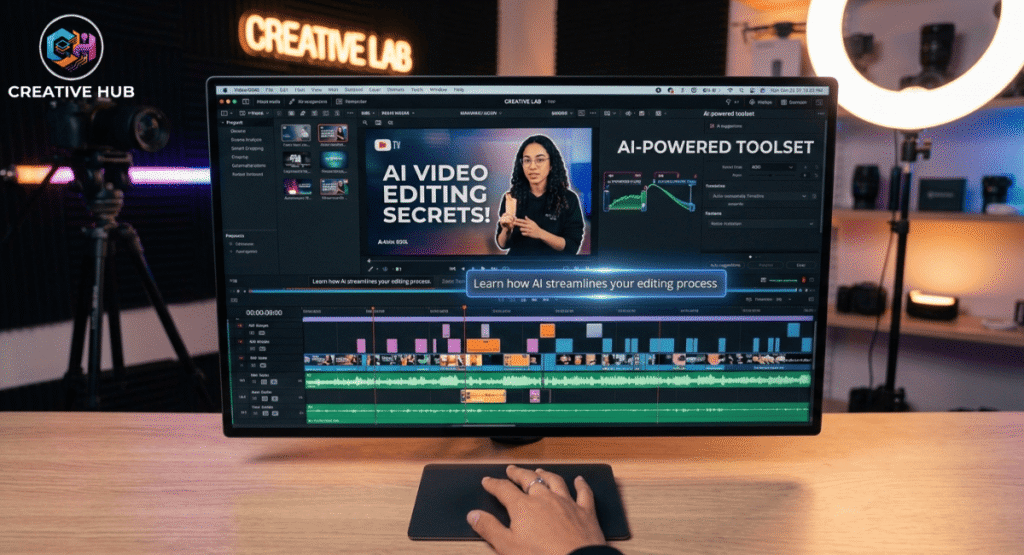
CapCut
Best for: Beginners, Shorts and fast editing
Useful features can include:
- Auto captions
- AI-assisted editing
- Text effects
- Background removal
- Templates
- Short-form editing tools
It’s particularly useful if you’re creating both long-form videos and shorts.
Descript
Best for: Text-based video editing
Descript is useful for creators who want to edit spoken content by working with the transcript rather than relying entirely on a traditional timeline.
It can be particularly useful for:
- Talking-head videos
- Podcasts
- Tutorials
- Interviews
- Removing unwanted sections
- Captions/transcripts
My recommendation
If you make talking-head educational content, test Descript.
If you mainly create Shorts or want a simpler editing workflow, CapCut may be the easier starting point.
Best AI Voiceover Tools
ElevenLabs
Best for: AI narration and voiceovers
AI voice tools can be useful for:
- Faceless videos
- Tutorials
- Explainer videos
- Narration
- Multilingual content
For personal or cloned voices, make sure you have the appropriate rights and consent.
Don’t make this mistake
Don’t choose an AI voice simply because it sounds realistic.
The voice should fit:
Your topic + your audience + your video style.
A technically impressive voice can still make a video feel unnatural if the delivery doesn’t match the content.
AI Dubbing and Multilingual YouTube Content
This is an area worth adding because it makes your article more current.
YouTube now supports automatic dubbing for eligible creators, while its multi-language audio feature allows creators with access to upload additional audio tracks.
This can help creators reach viewers in other languages without maintaining completely separate channels.
However, don’t promise that dubbing automatically produces perfect translations. YouTube itself notes that automatic dubbing quality can vary between languages.
Best AI Tools for YouTube Thumbnails
Canva
Best for: Beginners and thumbnail design
Canva can help creators create:
- YouTube thumbnails
- Channel graphics
- Social media graphics
- Backgrounds
- Visual variations
But remember:
AI should help create the thumbnail — not decide your entire thumbnail strategy.
Your thumbnail still needs:
Clear subject + strong contrast + simple message + curiosity
Avoid filling it with tiny text and too many elements.
AI Tools for YouTube SEO and Research
vidIQ
Best for: YouTube keyword and channel research
You can use YouTube-focused tools to investigate:
- Search terms
- Related topics
- Content ideas
- Competitor channels
- Titles
- Video optimization
TubeBuddy
Best for: YouTube optimization and channel workflow
It can help with tasks related to:
- Keyword research
- Video optimization
- Titles
- Tags
- Channel management
But don’t overstate the importance of tags.
YouTube itself says that title, thumbnail and description are more important metadata, while tags play a minimal role except in cases such as commonly misspelled terms.
That’s a useful correction to your current article.
Can AI Help a YouTube Video Rank?
Yes, it can help with parts of the workflow.
But:
No AI tool can guarantee YouTube rankings or virality.
YouTube says recommendations are driven by viewer personalization and performance, including whether viewers choose to watch, how long they watch, and satisfaction signals.
So AI can help you create:
- Better ideas
- Better titles
- Better scripts
- Better thumbnails
- Better workflows
But your audience decides whether the video succeeds.
My Recommended AI YouTube Workflows
This should be one of the strongest sections of your article.
🟢 Beginner YouTube Workflow
ChatGPT → Canva → CapCut
Use:
ChatGPT → ideas + outline
Canva → thumbnail
CapCut → editing
You don’t need 10 subscriptions to start.
🟣 Faceless YouTube Workflow
ChatGPT → ElevenLabs → CapCut → Canva
Use:
ChatGPT → research/script
ElevenLabs → narration
CapCut → video/editing
Canva → thumbnail
🔵 Advanced Creator Workflow
Research → ChatGPT/Claude → Descript → Canva → vidIQ/TubeBuddy
Use specialized tools only where they actually save time.
Do You Really Need 10+ AI Tools?
No.
This is one of the most important lessons for beginners.
Instead of paying for:
10 different AI subscriptions
start with:
ChatGPT + Canva + CapCut
Then identify your biggest bottleneck.
If voiceover takes too long → test an AI voice tool.
If editing takes too long → test Descript.
If YouTube research takes too long → test vidIQ or TubeBuddy.
Build your stack around your actual problems.
What AI Still Can’t Do Well
AI can help with production, but it doesn’t replace:
- Personal experience
- Original opinions
- Storytelling
- Humor
- Emotional connection
- Understanding your audience
- Creative judgment
The best use of AI is often:
AI handles repetitive work → creator handles the important decisions.
That’s a much healthier approach than trying to automate an entire channel.
Pros and Cons of AI for YouTube
Pros
- Faster brainstorming
- Faster scripting
- Easier editing
- Faster captions
- Easier thumbnail creation
- More efficient content repurposing
- Multilingual opportunities
Cons
- Generic AI writing
- Incorrect information
- Repetitive content
- Unnatural voiceovers
- Over-automation
- Potential copyright/licensing problems
- Less personality if the creator doesn’t edit the output
Frequently Asked Questions
What are the best free AI tools for YouTube creators?
For many beginners, ChatGPT, Canva and CapCut can cover a significant portion of the workflow, depending on the features available in their current free plans.
Can AI create a complete YouTube video?
AI can assist with many stages, including ideas, scripts, voiceovers, visuals, editing and thumbnails. However, a creator should still review the final video for accuracy, quality, originality and audience fit.
What is the best AI tool for YouTube scripts?
ChatGPT and Claude are useful options for brainstorming, outlining and drafting. The best result usually comes from giving the AI your own research and then editing the output yourself.
Can AI make YouTube thumbnails?
Yes. AI-assisted design tools can help generate concepts and visual elements, while tools such as Canva can help assemble the final thumbnail.
Can AI guarantee YouTube views?
No. No legitimate AI tool can guarantee views or virality. YouTube’s recommendation system evaluates viewer behavior, personalization and satisfaction rather than simply rewarding videos because AI was used.
Should beginners pay for multiple AI tools?
Usually not. Start with one or two tools, identify your biggest bottleneck, and upgrade only when a paid feature genuinely saves you time or improves your workflow.
Final Recommendation
AI tools can make YouTube production faster, but they aren’t a replacement for the creator.
If you’re just starting, don’t build a complicated stack.
Start with:
ChatGPT + Canva + CapCut
Then add specialized tools only when you encounter a specific problem.
The goal isn’t to automate your entire YouTube channel. It’s to remove repetitive work so you can spend more time on better ideas, stronger storytelling, filming and understanding your audience.